Posts Tagged ‘Mac’

Animations For Keynote

Wednesday, November 30th, 2011

Today we added QuickTime support to our animated clipart section.  You can now download any of our animations as a QuickTime (.MOV) file.

But what does this mean for you?
If you are using a Mac computer with either Keynote or PowerPoint, these new files will look fabulous.  You can download the QuickTime files with a transparent background and even have semi-transparent shadows and reflections included.  The transparent versions of the QuickTime files include an alpha channel which defines the transparent areas of the animations.

The QuickTime files can also be downloaded with a solid color background.  The solid color background animations will even work with the Keynote App on the iPad.

Things to keep in mind.

  1. QuickTime files are best used on a Mac computer.
    PowerPoint 2010 does have support for QuickTime, if you have QuickTime installed, but we recommend sticking with the animated .gif files on the PC.
  2. The iPad will only support the solid color background versions.
  3. The file size for the transparent versions is larger than the solid versions, so go sparingly if you want to keep your presentation file size down.

Mac PowerPoint 2008 Animated Templates

Tuesday, February 22nd, 2011

PresenterMedia’s animated PowerPoint templates work great with Mac PowerPoint 2008 and 2010, and they will also work with Apple’s Keynote software.  In fact some people claim that the templates actually look even better when played from a Mac computer.

There are a couple of items to check if you plan to use Mac PowerPoint 2008 to play our animated templates.

1. Check for Updates

First of all, you need to make sure that you are running the most up to date version of your PowerPoint software.  Microsoft has release several updates to Mac PowerPoint 2008 and some of them are essential for the animated features to operate properly.

It’s easy to check if to see if you are currently running the most up to date version of your software, simply go to the Help Tab in PowerPoint, and click “Check for Updates”.  Install any of the updates you are missing.

PowerPoint 2008 Check for Updates

Checking for Updates in PowerPoint 2008

2. Flip4Mac

The second item that any Mac user will need is the free Quicktime plug-in called Flip4Mac.  This plug-in enables Quicktime to play Microsoft’s .WMV video files.  This also has the added bonus of allowing our templates to be cross-platform compatible.  Microsoft distributes Flip4Mac for free and it can be downloaded from their site here.

After you have installed any updates and the Flip4Mac plug-in, shutdown and start up your computer and away you go with awesome multi-media templates for PowerPoint.


An example of an animated PowerPoint template for either the Mac or PC versions of PowerPoint.

You can see all the animated templates we have available here.

Templates for Mac PowerPoint 2011

Thursday, November 18th, 2010

PowerPoint 2011 for Mac is new and it is good.  It takes all the best things from PowerPoint 2010 and incorporates them into an awesome presentation system for the Mac.

So how does PowerPoint 2011 work with our animated templates you ask?  Very well indeed.  You can simply download any of the templates for PowerPoint 2010 and start using them in PowerPoint 2011.  No more linked video files.  All the files are embedded directly in the templates.

Our animated video templates for PowerPoint contain .WMV files.  For Mac you will need to make sure Quicktime has the free plug-in, Flip4Mac, to allow WMV files to play on your Mac.  It’s a free download distributed by Microsoft.

Here is the link to download Fip4Mac free from Microsoft.

Mac PowerPoint 2008

You can also use our templates with Mac PowerPoint 2008.  There are just a couple of things to check if you experience any difficulties getting the template to animate properly.

1. Make Sure PowerPoint 2008 is Up To Date.

Our animated templates require that Mac PowerPoint 2008 is running certian updates and bug fixes that Microsoft has released over the last couple of years.  If you are experiencing difficulty with the animations playing properly, most likely the cause is your software need to be updated.  This is a simple process.  In PowerPoint 2008, click the help tab on the top bar, and then select “Check for Updates”.  Be sure to install any updates you are missing.  Restart your computer after any updates.

PowerPoint 2008 Check for Updates

Checking for Updates in PowerPoint 2008

2. Install Flip4Mac

Our templates are designed to be cross-platform compatible, and therefore we have used Microsoft’s .WMV video format for the video animations.  In order for Mac computers to play Windows Media Files, the free Quicktime plug-in, Flip4Mac, is required.  You can download this quick to install plug-in from Microsoft’s website here.

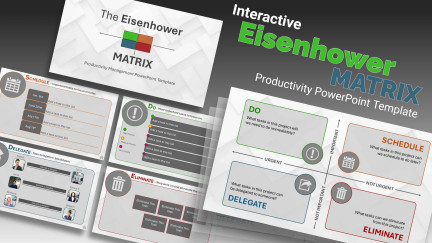
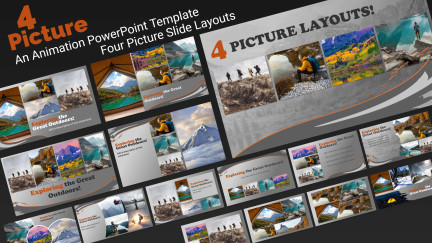
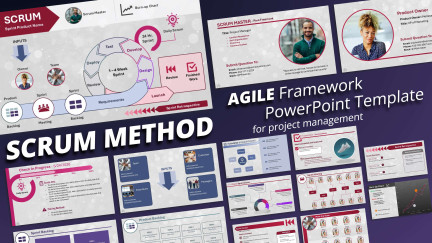
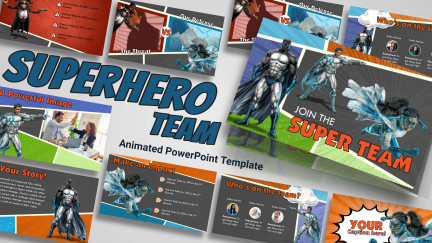
Discover the future of PowerPoint presentations with our animated templates for PC and Mac versions of PowerPoint.  Here are some examples of the newest animated templates we have created.


Puzzle Piece Pie Chart
An animated PowerPoint template
by PresenterMedia artist Judd Albrecht.
Download this template for Mac PowerPoint 2011 here.


Business Skyscrapers
An animated PowerPoint template
by PresenterMedia artist Josh Doohen.
Download this template for PowerPoint here.

Animated GIFs in Mac PowerPoint 2008

Monday, August 9th, 2010

Animated .GIFs are a quick and easy way to add a bit of life to a PowerPoint slide.  Plus they are so easy to use. Simply insert them as a picture and they will animate when you view the slide show.

Animated Figure with wrench

Animated GIFs work great in PowerPoint for Mac

This is all great unless you’ve been running PowerPoint 2008 for Mac.  The original version of PowerPoint 2008 didn’t have good support for the venerable animated GIF format.  But Microsoft has come to the rescue with an update to PowerPoint 2008.   The update is called the Office 2008 Service Pack 2 and it was released in July of 2009.

This free update fixes various issues and adds complete support for animated .GIFs.  If you’ve been updating your software all along, you likely are already running this patch.  But if you are experiencing difficulties with our animated gif animations in Mac PowerPoint 2008, it’s likely that you need to update your software.

Animated figure walking with tool box.

Update PowerPoint 2008 to use animated gifs.

Here is a link to the Office 2008 Service Pack 2 for Mac.  You’ll want to browse for downloads at the bottom of the page to find the appropriate download.