PresenterMedia Frequently Asked Questions

Subscription Questions?
Will you automatically charge me again at the end of my subscription?Does PresenterMedia work on a Mac?
Are there limits to how much I can download?
After I buy a subscription, are there any other fees or charges to download?
Can I keep using the images and templates I've downloaded if my subscription expires?
Do you offer discounts on multi-seat subscriptions?
Will your animations and clipart work on a website?
Subscriber Questions?
I've lost my password, can you help?
My email address changed, can I change it?
Do you offer a renewal discount for current subscribers?
Terms of Use Questions?
How am I allowed to use your templates, animations and images?
Can I resell or distribute your images?
Can I use your images in a project for a client?
Troubleshooting and How To Questions?
What software can I use your animations in?
How do I remove or change the 'Your Logo' in the templates?
Why won't the Animated Template play in PowerPoint 2007?
Animated Templates Won't Play in Mac PowerPoint.
PowerPoint Animations (Animated .GIFs) won't move in Mac PowerPoint 2008?
Templates Won’t Open in PowerPoint 2010.
I have green splotches or streaks running through my animated template in PowerPoint 2007.
How do I use a PowerPoint template?
How do I use an animated template on both a PC and a Mac?
The animation doesn't show up when displayed through a projector.
The animations (.gifs) stop moving after I save my presentation.
Do the animations work in Prezi?
Can you make me a custom template, animation, or image?
I have additional questions, how do I contact PresenterMedia?
Subscription Questions?
Will you automatically charge me again at the end of my subscription?
No, PresenterMedia will not automatically charge you again and no additional fees are due. At the end of your subscription, you will receive a notice that your subscription is expiring. It is completely up to you if you wish to renew, if you do nothing, your account will expire and no further action is required.
Does PresenterMedia work on a Mac?
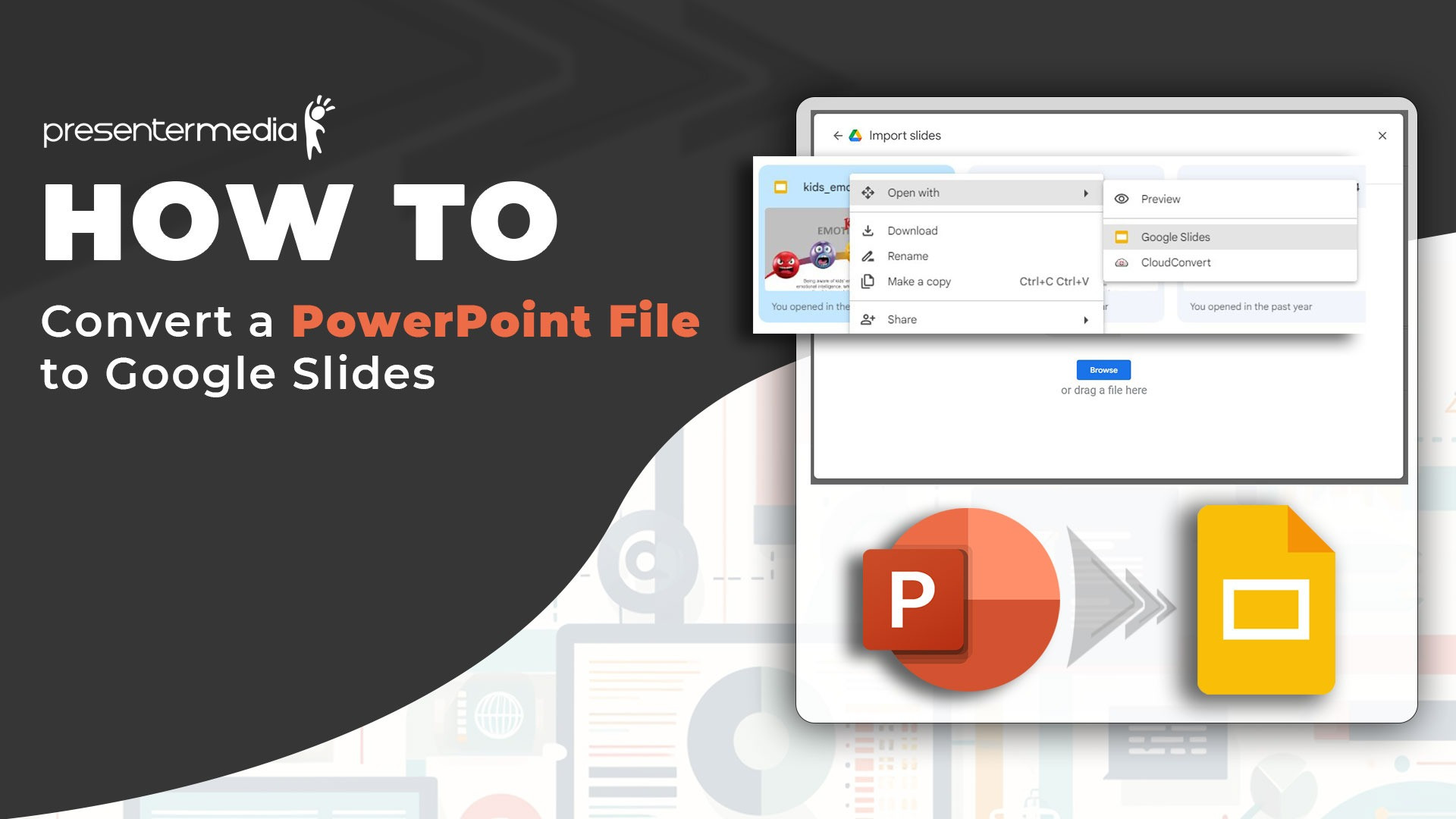
Yes, most certainly, our templates, animations, and clipart work great on a Mac running PowerPoint 2004, 2008 or 2011. Our content and templates will also work in Keynote presentation software for Mac.
The animated templates for Mac require the free plug-in for Quicktime called Flip4Mac distributed by Microsoft. Here is more info about how to download Flip4Mac from our blog
Are there limits to how much I can download?
No, we do not currently have any limit on the number of templates, animations and images that can be downloaded from PresenterMedia. You may download as much as you want.
After I buy a subscription, are there any other fees or charges to download?
No, PresenterMedia is royalty-free. There are no additional fees, charges or royalties to pay to download and use our images in your projects. If you wish to resell or redistribute our images, there may be additional fees involved. See, 'Can I resell your images?', below.
Can I keep using the images and templates I've downloaded if my subscription expires?
Yes, since our images are royalty-free, you may continue to use any template, animation or clipart image you have downloaded during your subscription term even after your subscription has ended.
Can I use a Purchase Order?
For a single user license, we prefer that purchase orders are not used. If you are a governmental, or education institution and would like to purchase multi-seat licenses, we do accept purchase orders.
Do you offer discounts on multi-seat subscriptions?
Yes, we offer anywhere from 20% to a 50% discount on the purchase of more than one subscription. Please use our contact form to receive a custom quotation.
Will your animations and clipart work on a website?
Yes, they will work wonderfully on a website. The animations are downloaded as .GIF files and the clipart can be downloaded as either a .PNG or .JPG. Simply insert them into your website like you do any other picture or image.
Subscriber Questions?
I've lost my password, can you help?
Yes, We have an automated password retrieval system here. It will email the password to the email we have on file for the account. If you need more assistance please contact our customer support here, or by phone at (605) 274-2424. Our customer support is available for 9:00am - 5:30pm Central Standard Time, Monday thru Friday.
My email address changed, can I change it?
Yes, you may change your email address and any of your contact information. by clicking on the "My Account" at the top right of the page. You must be signed into the PresenterMedia site to see the "My Account" link.
Do you offer a renewal discount for current subscribers?
Yes, our policy is to reward our customers for their continued patronage. Our renewal discount is currently 50% off our regular posted prices.
Terms of Use Questions?
How am I allowed to use your templates, animations and images?
You may use PresenterMedia templates, animations and images in projects for yourself, your company or your clients. They may be used in presentations, websites, email, brochures, advertisements, posters, business cards, signs, electronic documents, printed documents.
You may not use the images to create templates, ecards, screensavers or other types of graphical items for the purpose of sale or redistribution. Please see our terms of use for complete details.
Can I resell or distribute your images?
The short answer is no. Additional license fees are required for the rights to sell our images.
You can however, sell items that contain our imagery, provided that our images are not the reason people would purchase your project. For example, if you created a presentation, book, brochure, etc. on a specific topic (eg. health care), and used our images as decorations, you could sell your final product without additional fees.
Please contact us with additional questions about licensing our images for resale or distribution.
Can I use your images in a project for a client?
Yes, you may include our images in projects you are hired to create. You cannot however share your subscription with your clients. If your clients wish to make modifications or change the imagery, they would need to purchase their own subscription.
If I use your templates, animations and images in a presentation, can I distribute or sell the presentation?
Yes, provided that the images, animations and images used in the presentation are not the reason someone would purchase your presentation (eg. creating a new template and then selling it is not allowed.) If our imagery is used as a decoration in your presentation, your final product may resold without additional fees.
Can I use your animations and clipart on a website, blog, mobile app, software product, or printed document?
Yes, our images and animations are royalty-free and can be used on commercial web pages, blogs, mobile apps and software for sale, printed documents and books, and other commercial projects. There are no additional fees required for this use.
However, our images must be only used as decorations or illustrations in your project. They cannot be the reason someone would purchase your product or visit your website. You cannot transfer the license to use our images to another party. For example, you cannot provide a library of images in your project that your users could access. Please contact us if you have further questions on our use terms.
Troubleshooting and How To Questions?
What software can I use your animations in?
Our animations are provided in .gif format and will work in all PC and Mac versions of PowerPoint 97 and newer (97, 2001, 2003, 2007, 2008, 2010). Our animations will also work with most email programs such as Microsoft Mail, Hotmail, gMail, YahooMail. You can import animated gifs into Adobe Flash, and Adobe Premiere. Our animations will also work with Keynote on a mac. Our animations can be included in webpages.
Our animated PowerPoint templates will work in all versions of PowerPoint, version 2003 or newer. We recommend using PowerPoint 2010 or Mac PowerPoint 2011 to take advantage of the superior playback of video.
Some animated templates in PowerPoint 2007 and older will not allow text or objects over the top of the animations due to the fact the some templates utilize video files. In these case, we have provided areas for text and other content.
For PowerPoint 2003(PC) and 2004(Mac) which utilize video, the video is provided as a linked file. This means that the templates comes with one or more external video files which must remain in the same directory as your finished presentation for the animation effect to work.
Our animated templates will also work in Keynote. Note that we build our templates in PowerPoint and that Keynote can open PowerPoint files. Some PowerPoint effects, animations and transitions may not translate the same in Keynote.
How do I download images?
We provide download links for all of our content. Simply click the download button and you will be prompted to save the template, animation, or image to your computer. Once you save the image, you can use it in the application of your choice.
In cases where you have created an custom animation or clipart, you will need to save the image to your computer. To do this, position you mouse over the image and right-click your mouse (Control-click on a Mac). From the menu that appears, choose Save Picture As or Save Image As to save the image to your computer.
Here is a video tutorial on downloading images and animations from PresenterMedia.
How do I remove or change the 'Your Logo' area in the templates.
The logo place-holder in the templates can easily be removed or changed to your own logo. The logo area is part of the Slide Master. You will need to access the Slide Master view in order to change or remove the logo area. In PowerPoint, select the view tab and then choose View Slide Master. From here you will be able to modify the logo-placeholder. There is a tutorial here on our blog.
Why won't the Animated Template play in PowerPoint 2007?
Our animated templates will work in PowerPoint 2007, if you are experiencing no animation using PowerPoint 2007 most likely you need to install an update to PowerPoint 2007. Microsoft released a update/patch called 'The 2007 Microsoft Office Suite Service Pack 2.'
This patch fixes various bugs and increases PowerPoint stability, it also updates 2007's ability to play embedded video from PowerPoint 2010. You can read about how to install this free update on our blog.
Animated PowerPoint Templates won't play in Mac PowerPoint.
There are two possible reasons an animated template may not play in Mac PowerPoint. First of all, your PowerPoint may be missing a necessary update from Microsoft. First of all , be sure to 'Check For Updates' under the Help tab in PowerPoint and install any missing updates.
Secondly if the animation video files in the PowerPoint templates are not playing properly (appears black with garbled text), you are missing a free plug-in for Quicktime distributed by Microsoft. Flip4Mac allows Mac computers to play Microsoft's Windows Media Videos. Here is more information and a link to download this plug in.
Here is a troubleshooting guide for Mac PowerPoint 2008 and 2011.
PowerPoint Animations (Animated .GIFs) won't move in Mac PowerPoint 2008?
If you are having problems with our PowerPoint Animations (animated .GIFs) moving in Mac PowerPoint 2008, this is a bug in PowerPoint 2008. Microsoft has released an update for Mac PowerPoint 2008 which fixes this problem. To fix this problem you need to 'Check for Updates' under the Help tab in PowerPoint, and install any missing updates.
Templates Won’t Open in PowerPoint 2010.
Some PowerPoint 2010 users may encounter a bug opening presentation files downloaded from the Internet. PowerPoint 2010 gives the error 'PowerPoint found a problem with content'. This is due to browsers flagging the file as potentially dangerous. Some installs of PowerPoint 2010 do not handle this security precaution properly.
If you are getting this error when trying to open our templates with PowerPoint 2010, there is a quick and easy fix. View the complete fix tutorial on our blog.
I have green splotches or streaks running through my animated template in PowerPoint 2007.
This is caused when you have an older version of Windows Media Player installed. For best playback of our animated templates we suggest running Windows Media Player 11 or newer. To update your player, run Windows Media Player and choose 'Check for Updates' under the Help menu.
How do I use a PowerPoint template?
Here is a getting started video about using our PowerPoint templates.
There are two ways a template may be used. First of all, you may simply open up the template in PowerPoint and start adding your content to it. If you all ready have a presentation made, you may apply our template(theme) to it. In PowerPoint 2007 and later you would apply the theme from the template, in the Design tab. In older versions of PowerPoint, you would apply the design template, under the 'Format/Slide Design' menu.
Can I print your images?
Yes, our still images print very well. We recommend downloading the highest resolution image available if you plan to print your project.
How do I use an animated template on both a PC and a Mac?
If it is important for your animated presentation to play on both a PC and a Mac, we recommend starting with the PowerPoint 2007 template. The Mac computer will need to have the free Quicktime plug-in, Flip4Mac, installed. Flip4Mac allows Mac computers to play Windows Media Videos (.WMV). The plug-in is distributed free by Microsoft. Here is more info about how to download from our blog.
The animation doesn't show up when displayed through a projector.
On the projector display, you see a black box where the animation or video should be. This is caused by limitations in your laptops video card. This problem tends to affect older laptops. There are a few easy workarounds. Here is an article from our blog that addresses the problem.
The animations (.gifs) stop moving after I save my presentation.
For some reason PowerPoint can mistakenly compress the animated images which ends up removing the animation. This happens for only a select few PowerPoint users. If this should happen to you, here is information about how to set the image compression settings in PowerPoint, to force PowerPoint to not apply image compression.
Do the Animations work in Prezi?
Yes, the animations and clipart on our site work great in Prezi. Here is a blog post about using our animations in Prezi.
Can you make me a custom template, animation, or image?
Unfortunately, we are currently unable to do projects for individual clients. However, most new images and templates created for PresenterMedia are based on the suggestions we receive from our subscribers. If your idea is something that could benefit many of our subscribers, there is a good chance we can make it and add it to the collection. Send us a suggestions here.
I have additional questions, how do I contact PresenterMedia?
If you need more assistance please contact our customer support here, or by phone at (605) 274-2424. Our phone customer support is available from 9:00am - 5:30pm Central Standard Time, Monday thru Friday. We'll answer your questions just as quickly as we can.