Up to 50% OFF
What Can I Customize?
Customizable clipart lets you modify colors, text, and design elements right in your browser to create graphics tailored to your message and style. It’s perfect for presentations, handouts, websites, and more.
Click the green 'Customize this Item' button above. Then, in the online editor, click the design and select Edit to change text labels, swap colors, reposition elements, and add a logo before downloading. When finished customizing, click Build and Download.
After customizing, download your clipart and insert it into PowerPoint or Google Slides, or upload it into video projects using SlideClips Video Maker. The clipart works in any program that accepts PNG images.
A limited selection is available for free. Full access to all designs and customization features requires a PresenterMedia Unlimited Plan Subscription. Go to the Customizable Clipart page to see all free customizable clipart indicated by the green arrow located in the top right of every preview thumbnail.
Customizable clipart lets you add your own branding, colors, or personal style, making your presentations stand out and feel uniquely yours. It saves time while still giving you creative freedom, helping you connect with your audience in a professional and memorable way.
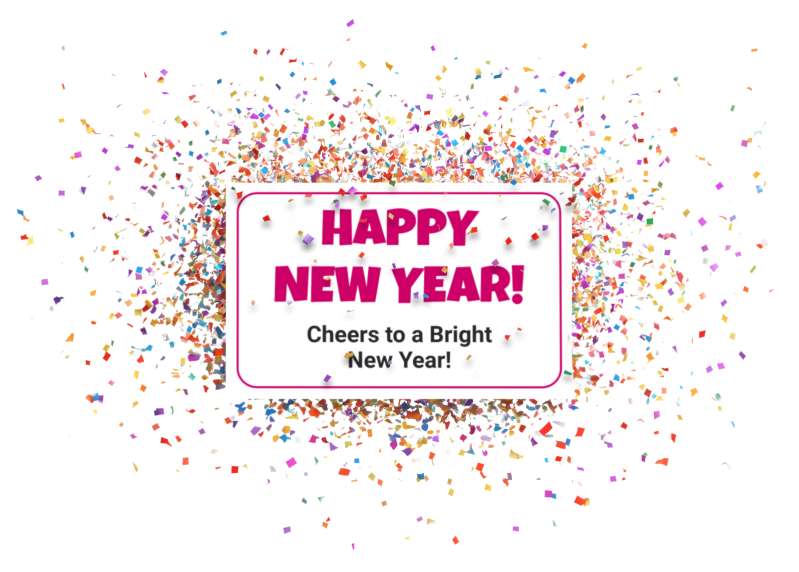
This vibrant confetti sign explosion PNG image with a transparent background captures the essence of celebration and joy, making it perfect for New Year’s festivities. The bold text “HAPPY NEW YEAR!” stands out prominently, surrounded by a flurry of colorful confetti that adds an exciting festive touch. This clipart symbolizes the excitement and optimism that comes with welcoming a new year, making it an excellent choice for invitations, party decorations, or digital greetings.
Incorporating this presentation clipart into a slide in one of our PowerPoint templates creates a cohesive visual theme that matches your New Year celebration message. For even more visual options, browse our full Presentation Clipart library or discover other editable designs in our Customizable Clipart collection.
The exploding confetti and bold “HAPPY NEW YEAR!” instantly communicate the emotional feeling of celebration, anticipation, and a fresh start. In a presentation, this visual helps viewers quickly connect on a personal and emotional level with themes like new beginnings, team achievements, or year-end reflections. It sets a joyful tone on title slides, section breaks, or closing messages, making your content feel more memorable and uplifting.
This clipart is fully customizable. On the item page, click the green “Customize This Item” button to open the editor. Once in the customizer interface, click directly on the sign’s design area and then choose Edit to enter edit mode for the artwork. From there, you can update the text, adjust fonts, tweak colors, or personalize the layout to match your event or branding. When you are finished, download your customized design as a PNG to use in slides, emails, or social graphics.
Adding this PNG presentation image to a slide in one of our PowerPoint templates creates a visual theme that reinforces your celebration message and keeps your audience engaged. Its bright colors and energetic confetti make it ideal for opening slides, intermissions, or fun wrap-up moments.
To insert the clipart into both PowerPoint and Google Slides, simply download the PNG image and open your presentation. In PowerPoint, go to the “Insert” tab, select “Pictures,” and choose the downloaded file. In Google Slides, click “Insert,” then “Image,” and upload the PNG file. The transparent background allows it to blend seamlessly with any slide design, making it easy to use PNG images in PowerPoint and insert PNG images in Google Slides without distracting borders.
new year confetti party invitation celebration sign
Similar Templates and Designs
© 2009-2025 Eclipse Digital Imaging, Inc.
Quality PowerPoint Templates, Animations, videos, and 3D Clipart.
PowerPoint® is a registered trademark
of Microsoft Corporation.