Up to 50% OFF
Variations
When you select a layout, the Presentation Builder The Presentation Builder lets you generate or edit AI text, add slides, adjust theme colors, and download your PowerPoint file (works in Google Slides). opens so you can customize the slide and download your PowerPoint file. Watch tutorial
Download the PNG image from PresenterMedia. In PowerPoint, go to Insert → Pictures → This Device, and select the clipart file. You can resize or move it anywhere on the slide.
Yes. Upload the PNG file to your Google Drive, then insert it in Google Slides by going to Insert → Image → Drive. Adjust the size and position as needed.
Yes. Many PresenterMedia clipart images are editable. Use the built-in clipart variations customizer or the advanced settings to change colors before downloading the image to match your theme.
PNG is recommended for clipart because it supports transparency and maintains image quality. It works well in PowerPoint, Google Slides, and most other apps.
Yes. With an active PresenterMedia subscription, you can use downloaded clipart commercially in presentations, marketing materials, and client projects. See our License Agreement for more information.
This clipart image may be included in our free clipart section. We offer a limited selection of clipart for free so you can try them and see if they fit your design workflow. Visit the Presentation Clipart page and find free clipart graphics marked with a green arrow in the top-right corner of each preview thumbnail.
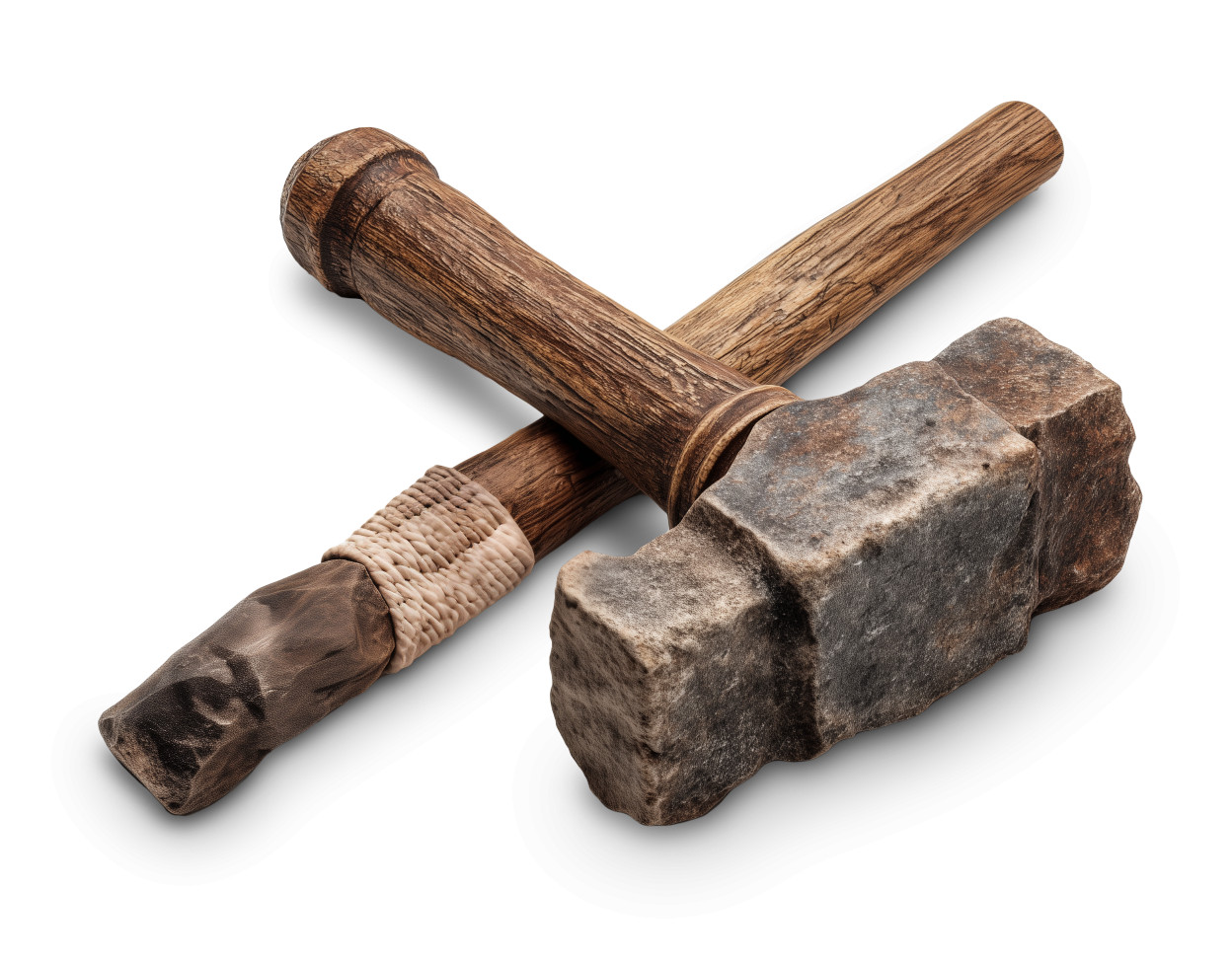
This detailed vintage clipart features two classic tools—a wooden mallet and a stone hammer—crossed in a symbolic arrangement. The mallet showcases a richly grained handle, while the hammer displays a rugged stone head, bringing a raw and earthy feel. These primitive tools embody the spirit of hands-on creation and traditional craftsmanship.
Perfect for presentations focused on construction, creativity, or the evolution of human innovation, this clipart image tells a story of simpler tools and meaningful work. It’s a visual metaphor for building something from the ground up, making it a powerful visual element in both modern and historically themed slides.
Integrate this image into one of our PowerPoint templates to set a thematic tone grounded in perseverance, tradition, and ingenuity. For more visuals like this, explore our full Presentation Clipart collection.
To use this clipart in PowerPoint, download the image and insert it via Insert → Pictures. In Google Slides, go to Insert → Image → Upload from computer. Whether you're discussing innovation or the beauty of tradition, this image adds impact and meaning.
hammer, mallet, chisel, sculpt, build, create, tool, vintage, craftsmanship
Similar Templates and Designs
© 2009-2025 Eclipse Digital Imaging, Inc.
Quality PowerPoint Templates, Animations, videos, and 3D Clipart.
PowerPoint® is a registered trademark
of Microsoft Corporation.