Up to 50% OFF

Download the MP4 file from PresenterMedia. In PowerPoint, select the slide where you want the background, go to Insert → Video → This Device, and choose the video. Right-click the video, select Send to Back, and adjust size to fill the slide.
Yes. Upload the MP4 to your Google Drive. In Google Slides, choose Insert → Video → Google Drive and select your uploaded file. Resize it to fit the slide and choose playback options like autoplay or mute.
No. Although this video may be optimized to loop seamlessly you will need to select some options when inserted into PowerPoint. In PowerPoint, right-click the video, choose Playback settings, and check Loop until Stopped.
Yes, click the 'Modify this Video' button above to adjust the color, brightness, and saturation. In PowerPoint, select the video, go to Format → Corrections or Color, and adjust brightness, contrast, or apply a color filter to better match your presentation theme.
Yes. After inserting the video, go to the Playback tab in PowerPoint and select Start Automatically. In Google Slides, right-click the video and choose Format Options → Video Playback to set autoplay.
This video background may be included in our free section. We offer a limited selection of video backgrounds for free so you can try them and see if they fit your design workflow. Visit the video backgrounds page and find free video backgrounds marked with a green arrow in the top-right corner of each preview thumbnail.
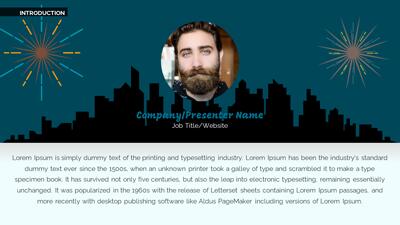
This captivating video background showcases a stunning array of stylized fireworks bursting in vibrant colors against a dark night sky. The artistic representation features large, round fireworks in shades of red, yellow, and blue, creating a festive and celebratory atmosphere. Each firework appears as a unique design, adding a sense of whimsy and creativity to the scene, making it ideal for presentations that aim to convey excitement and joy.
Loading this video background into a predesigned Action Slide or adding it to a slide in our PowerPoint templates will enhance your visual theme and engage your audience. Discover more animated options in our Video Backgrounds collection to elevate your presentations further.
This **video background** of stylized fireworks helps convey a narrative of celebration and achievement, making it perfect for events, holidays, or any occasion that calls for a vibrant and uplifting visual element. The dynamic movement and colorful bursts create an engaging experience that captures the viewer's attention and enhances the overall message.
By adding this video background to a slide in one of our PowerPoint templates, you create a cohesive visual theme that reinforces your presentation message and captivates your audience.
Utilizing MP4 or looping background videos enhances the viewer's experience, making it easy to learn how to add video to PowerPoint or insert video background in Google Slides for a more dynamic presentation.
fireworks, celebration, event, night, festive, joy, creativity, artistic
Similar Templates and Designs
© 2009-2025 Eclipse Digital Imaging, Inc.
Quality PowerPoint Templates, Animations, videos, and 3D Clipart.
PowerPoint® is a registered trademark
of Microsoft Corporation.